


Member Support Center
Navigating your membership with clarity and solidarity.
Application Guide
Open Registration Page
Visit the official portal using a stable internet connection.
Fill Personal Information
Enter your details exactly as they appear on your passport/CDC.
Payment & QR Guide
Scan the official QR code using your banking app and confirm the fee.
Complete payment before the final submission.
Submit Registration
Upload your payment proof and click "Submit". Admin review takes 1-3 working days.
Member Portal User Guide
📖 Essential instructions for managing your IFOMS account.
1 🔐 Login to the Member Portal
Enter your registered Email and Password to access your personal Member Dashboard.
Portal Access Link:
https://ifoms.org/login/index.html2 🪪 View Digital Membership Card
Digital Membership Card Display
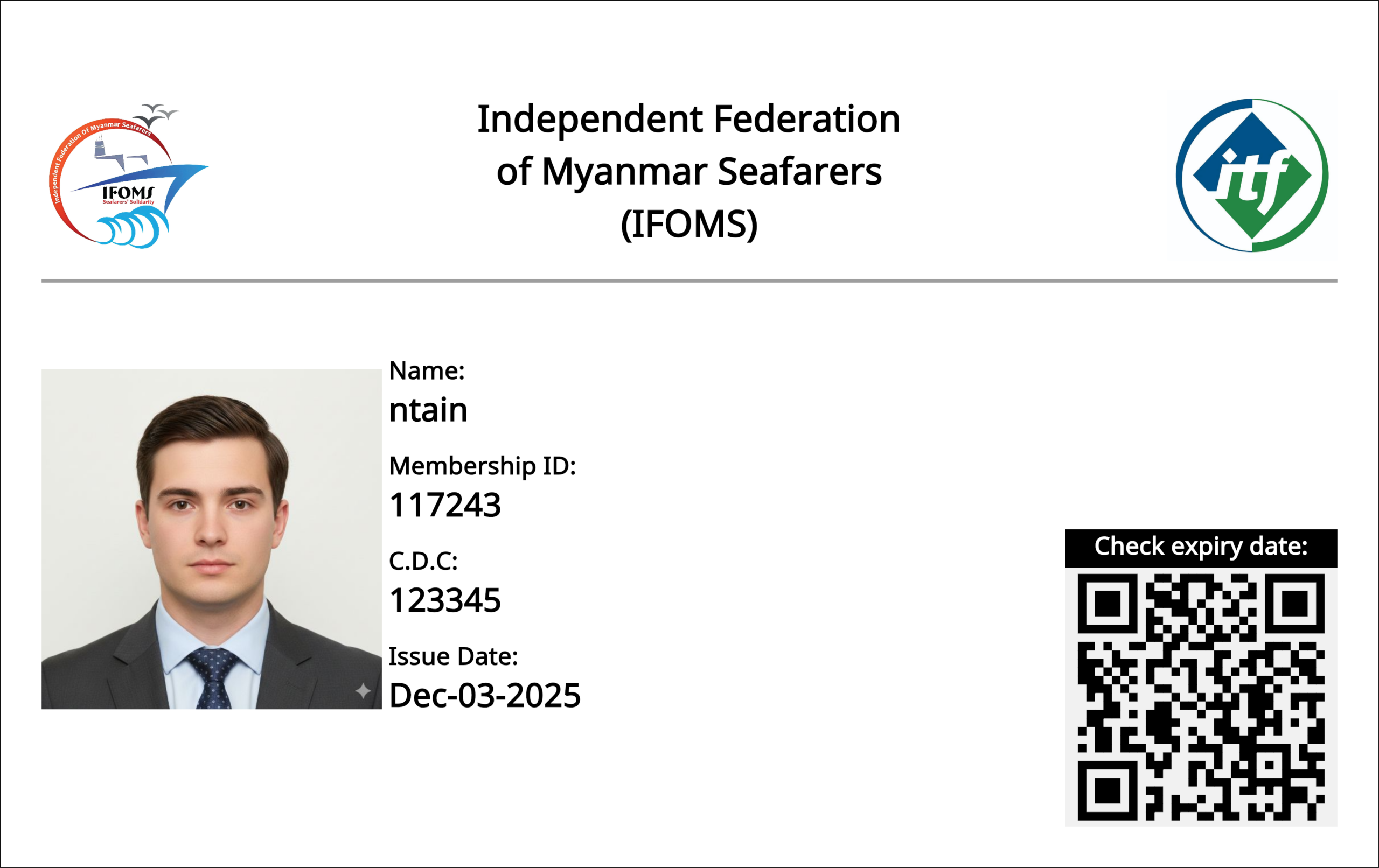
This card serves as your official IFOMS identification.
Your official identification includes:
- Member Photo
- Member Name
- Membership ID
- CDC Number
- Issue Date
- QR Code for checking expiry date
Verification & Validation
Scanning the QR code on your card provides instant verification of your identity, membership validity, expiry date, and official registration in the IFOMS system.
3 📅 Membership Validity
Example Status
📅 Since: 03/12/2025
⏳ Until: 03/03/2026
⚠️ Expired? Click the "Member Extension" button to renew and maintain IFOMS services and benefits.
4 ⚓ Complaint Reports
Report employment issues, salary disputes, or shipboard welfare problems.
- Click Complaint Report
- Fill required info
- Clearly describe the issue
- Submit for Admin review
5 🕊️ Death Case Report
Members or family can report seafarer deaths for IFOMS assistance.
- Click Death Case Report
- Provide case details
- Upload documents (if any)
- Submit for immediate team review
6 📊 Track Complaint Status
7 💳 Payment History
8 👤 Manage Your Profile
Click Profile at the top right to:
- Update personal & contact details
- Change account password
9 🚪 Logout Securely
Always click Logout at the top right corner when finished to protect your account from unauthorized access.
💡 Important Tips for Members
- Keep your Membership ID safe
- Check your membership expiration regularly
- Upload clear documents when submitting reports
- Use Member Extension if your membership expires
- Contact IFOMS support if you need urgent help
Support Center
Contact Administrator
If you encounter technical issues during registration, login, or need urgent assistance with your membership status, please use our official support portal.
Membership Terms
Membership is exclusive to seafarers registered under the Independent Federation of Myanmar Seafarers.
Annual fees are non-refundable once issued.
Information provided must be true and match official seafarer documents.